Add as many eyes as you fancy
 On the iPhone, long press the logo on the top bar and tap “Add eyes”.
 On the iPad, tap the eyes button on the top bar.
A playful photo app for iPhone & iPad
Photo fun recipe: just add eyes. Googly eyes!
Choose a photo, add a little mischief, and make every face look back at you.


How it works
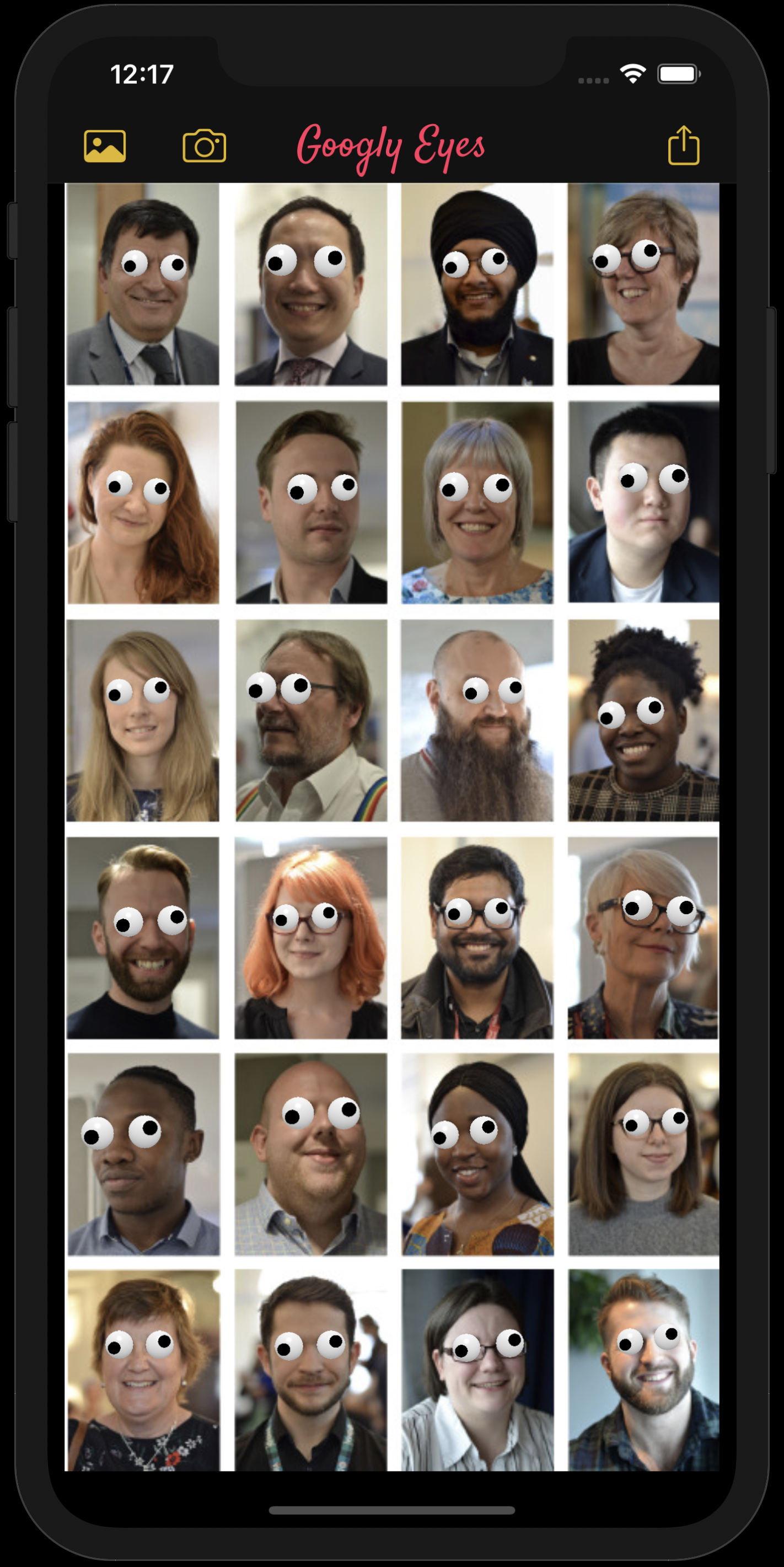
Choose any photo from your library (or take a photo) and the app will automatically add googly eyes to it. If the app recognizes faces in your photo, it will place googly eyes over every eye it detects.
Make it yours
On the iPhone, long press the logo on the top bar and tap “Add eyes”.
On the iPad, tap the eyes button on the top bar.
Move the googly eyes with your finger until every look lands just right.
Watch the demo ↗Change the size, colour and position of the eye and the iris by tapping on the googly eye, then using the presented options.
Watch the demo ↗Copy an image from another app and paste it into Googly Eyes. In Safari, long press the image to show the copy option. The link must lead to the image itself.
Watch the demo ↗Long press a photo in Safari, tap Share, then choose “Add Googly Eyes”. You can also open a photo directly from the Photos app.
Delete an extra eye by tapping it and choosing “Delete eye”. Save an iris position to reuse it for future eyes.
Ready to give your photos a second look?
Get Googly Eyes on the App Store